Read replicas
Introduction
Hasura Cloud and Hasura Enterprise can load balance queries and subscriptions across read replicas while sending all mutations and metadata API calls to the primary.
Adding read replica URLs
Postgres
- Console
- CLI
- API
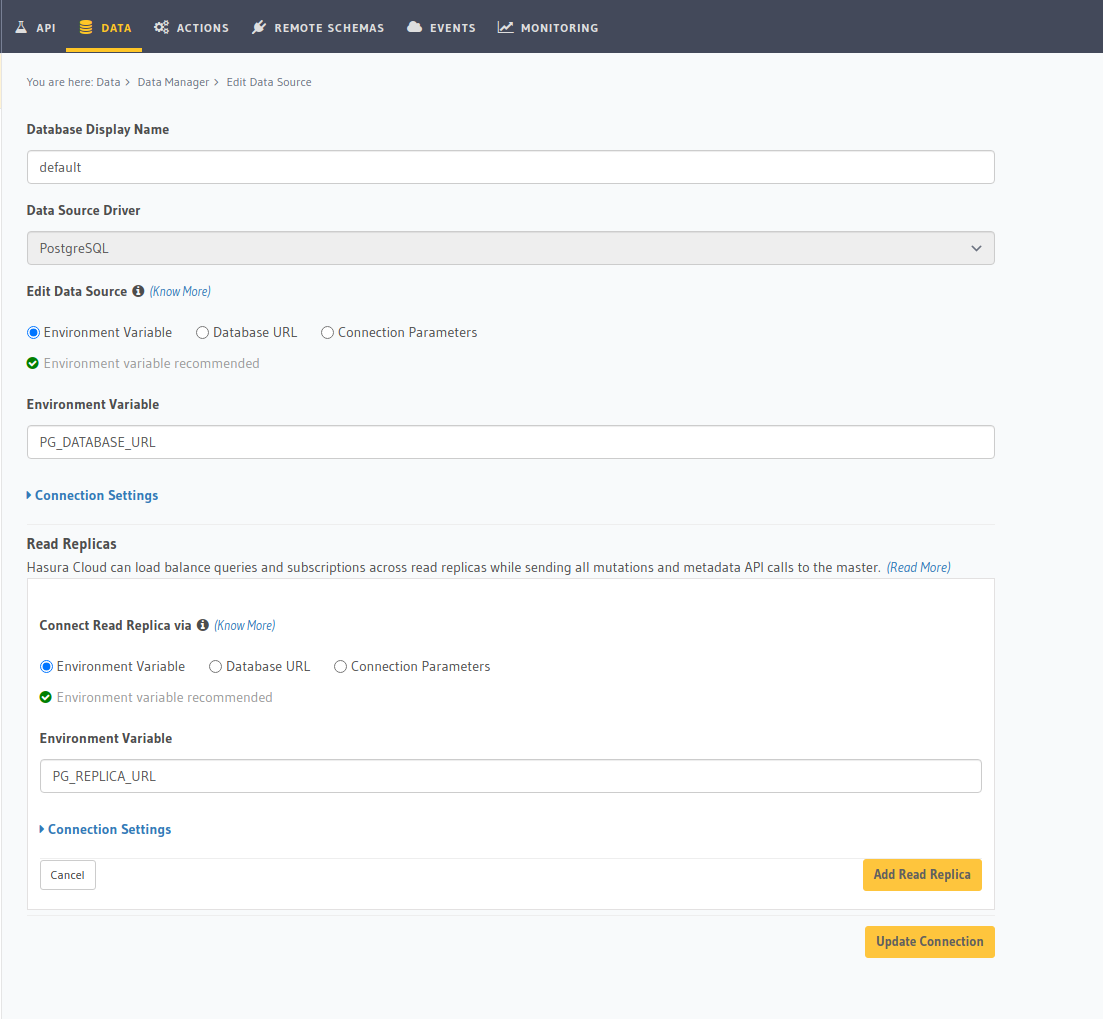
Head to Data -> Manage -> <db-name> -> Edit
You can add read replicas for a database by adding their config to the /metadata/databases/database.yaml file:
- name: <db-name>
  kind: postgres
  configuration:
    connection_info:
      database_url:
        from_env: <DATABASE_URL_ENV>
      pool_settings:
        idle_timeout: 180
        max_connections: 50
        retries: 1
    read_replicas:
      - database_url:
          from_env: <DATABASE_REPLICA_URL_ENV>
        pool_settings:
          idle_timeout: 180
          max_connections: 50
          retries: 1
Apply the metadata by running:
hasura metadata apply
You can add read replicas for a database using the pg_add_source metadata API.
POST /v1/metadata HTTP/1.1
Content-Type: application/json
X-Hasura-Role: admin

{
  "type":"pg_add_source",
  "args":{
    "name":"<db_name>",
    "replace_configuration":true,
    "configuration":{
      "connection_info":{
        "database_url":{
          "from_env":"<DATABASE_URL_ENV>"
        }
      },
      "read_replicas":[
        {
          "database_url":{
            "from_env":"<DATABASE_REPLICA_URL_ENV>"
          },
          "pool_settings":{
            "retries":1,
            "idle_timeout":180,
            "max_connections":50
          }
        }
      ]
    }
  }
}
If you have configured your Postgres instances with replicas; then the replica URLs can be added to Hasura using the following environment variable in your project ENV Vars tab:
HASURA_GRAPHQL_READ_REPLICA_URLS=postgres://user:password@replica-host:5432/db
In the case of multiple replicas, you can add the URLs of each replica as comma-separated values.
Additional environment variables for read replicas specifically:
HASURA_GRAPHQL_CONNECTIONS_PER_READ_REPLICA
HASURA_GRAPHQL_STRIPES_PER_READ_REPLICA
NOTE: Please note that the above environment variables are only available for v1.3 projects and are no longer supported for v2.0 and above projects.
MS SQL Server
- Console
- CLI
- API
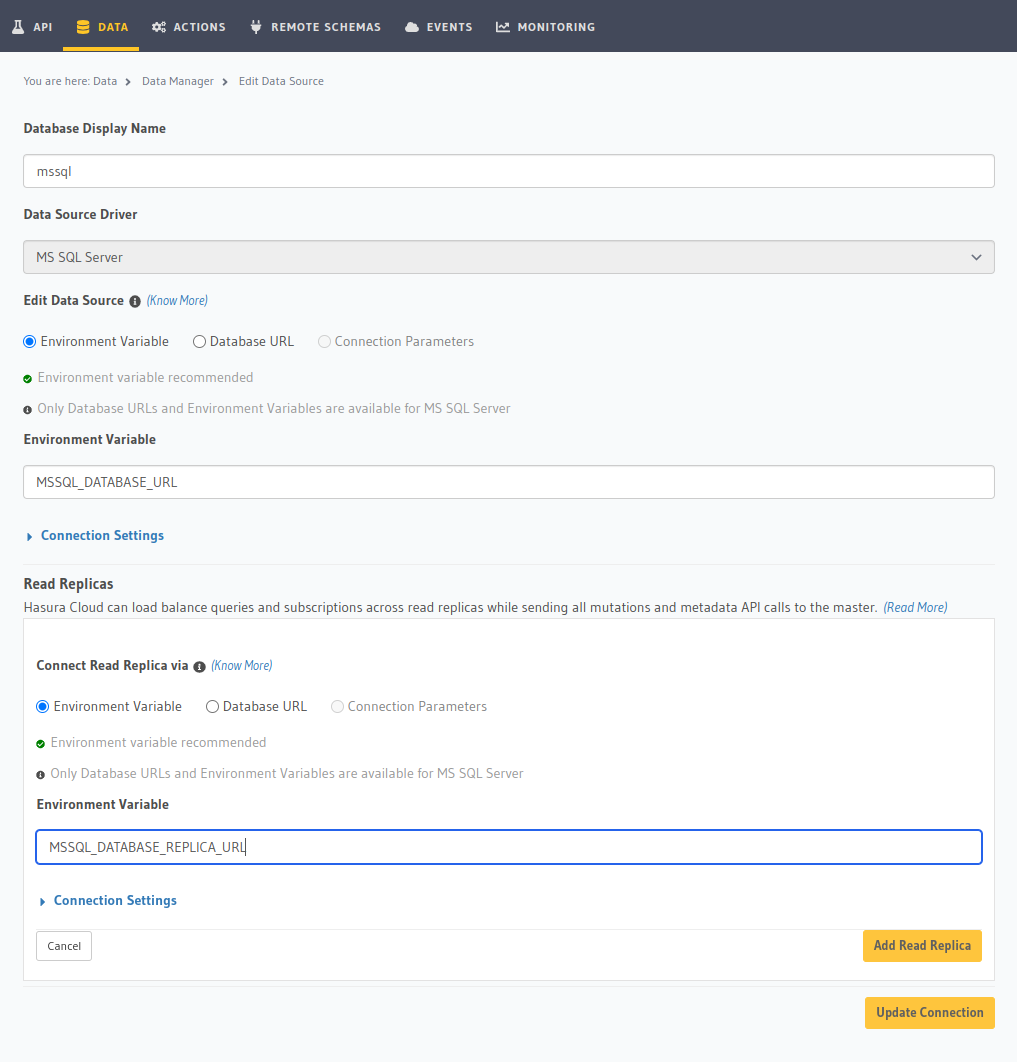
Head to Data -> Manage -> <db-name> -> Edit
You can add read replicas for a database by adding their config to the /metadata/databases/database.yaml file:
- name: <db-name>
  kind: mssql
  configuration:
    connection_info:
      connection_string:
        from_env: <DATABASE_URL_ENV>
      pool_settings:
        idle_timeout: 180
        max_connections: 50
    read_replicas:
      - connection_string:
          from_env: <DATABASE_REPLICA_URL_ENV>
        pool_settings:
          idle_timeout: 25,
          max_connections: 100
Apply the metadata by running:
hasura metadata apply
You can add read replicas for a database using the mssql_add_source metadata API.
POST /v1/metadata HTTP/1.1
Content-Type: application/json
X-Hasura-Role: admin

{
  "type":"mssql_add_source",
  "args":{
    "name":"<db_name>",
    "replace_configuration":true,
    "configuration":{
      "connection_info":{
        "connection_string":{
          "from_env":"<DATABASE_URL_ENV>"
        },
        "pool_settings":{
          "max_connections":50,
          "idle_timeout":180
        },
        "read_replicas":[
          {
            "connection_string":{
              "from_env":"<DATABASE_REPLICA_URL_ENV>"
            },
            "pool_settings":{
              "idle_timeout":180,
              "max_connections":50
            }
          }
        ]
      }
    }
  }
}